A Tuya Smart Switch is more than a wall-mounted control. It is a connected device that can switch lights, fans, or appliances through Wi-Fi, Bluetooth, or a compatible gateway. Users can tap the physical button, open the Tuya Smart app, or create an automation triggered by time, motion, or temperature. The process looks simple. Behind it, cloud services authenticate the device, process commands, and synchronize settings across phones and platforms.
The market is expanding quickly. IoT Analytics reported that global connected IoT devices reached approximately 16.6 billion in 2023 and could approach 18.8 billion in 2024. Statista also identifies smart-home technology as a major consumer IoT segment, supported by rising demand for convenience and energy management. These figures show momentum, not guaranteed value. A switch still depends on stable connectivity, correct wiring, and reliable software updates.
Small detail. A quiet relay click can confirm a local command, while a delayed response may reveal network dependence. Tuya co-founder and CEO Alex Yang has expressed the company’s guiding idea this way: “Smart devices should make life simpler, not more complicated.” That principle is useful, though real installations can feel less simple when ecosystems, permissions, and privacy settings overlap. This guide examines how a Tuya Smart Switch works, what its components do, and where practical limits deserve attention. It also considers security, compatibility, installation experience, and long-term reliability, rather than treating connectivity alone as proof of intelligence.
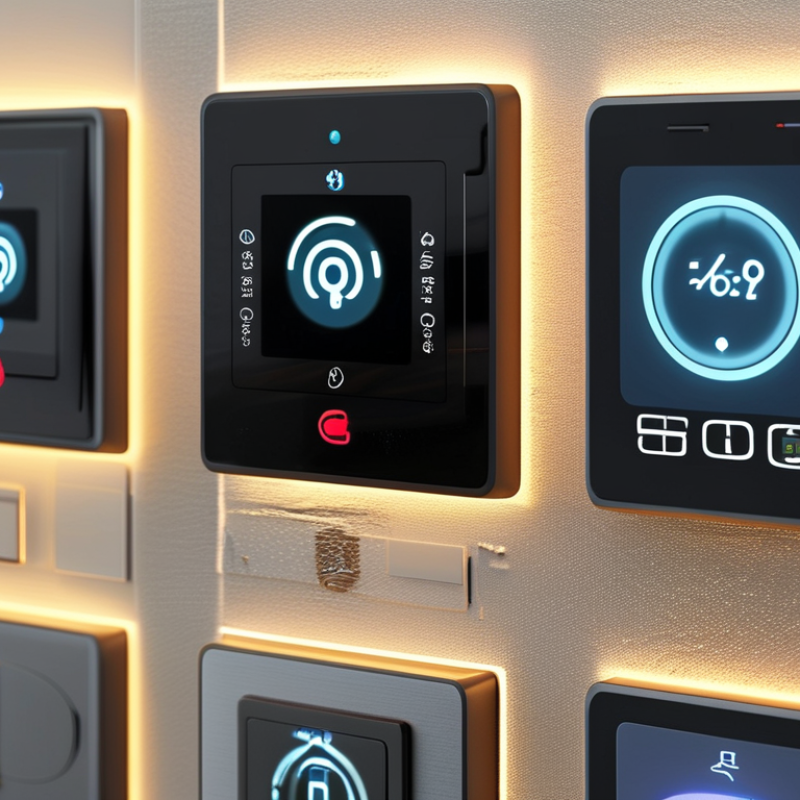
A platform-based smart switch is an internet-connected wall switch that controls lights or appliances. It replaces, or works beside, a traditional switch. Inside, a small relay receives commands from a mobile application, wireless network, timer, or voice control system. Many models also support scenes, such as turning hallway lights on at sunset.
Installation usually requires a live wire, neutral wire, and careful circuit identification. Some older homes lack a neutral wire. That detail matters. After pairing, the switch may communicate directly with a phone or through a cloud server.
A user can tap a virtual button and hear the relay click within a second. When the network fails, local manual control may still work, but remote access usually stops.
The International Energy Agency reports that buildings consume about 30% of global energy demand. Smart controls can reduce unnecessary lighting, although savings depend on household behavior and device quality. Statista Market Insights estimated the global smart-home market would exceed 150 billion U.S. dollars in 2024, showing strong consumer adoption.
However, market growth does not guarantee reliability. Check electrical certification, app permissions, firmware support, and privacy policies before purchase. I would also test the switch manually for several days. Convenience is useful, but an unreliable switch becomes another chore.
What Is a Tuya Smart Switch and How Does It Work?
How a Tuya Smart Switch Connects to Your Home Network
A Tuya-compatible smart switch usually joins a home network through 2.4 GHz Wi-Fi. This band travels farther than 5 GHz through walls. During setup, the mobile app sends the network name and password to the switch. The device then requests an IP address from the router through DHCP. It is a small but important exchange.
After connection, the switch normally communicates with a remote service through encrypted internet traffic. Your tap on the app becomes a command, travels through the router, and reaches the switch’s relay. Some models support local control, but this feature should be verified before purchase. Internet outages can expose an uncomfortable weakness.
NIST Special Publication 800-213 advises manufacturers to provide secure onboarding, unique credentials, and lifecycle support for connected devices. The report also stresses network protection and software updates. That matters because a switch is physically connected to household power. The International Energy Agency reports that buildings consume about 30% of global final energy, so automated lighting can support efficiency, though savings depend on real usage. In practice, a crowded router, weak signal, or incorrect wiring can cause delays. I have found that moving the router only a few meters can improve response noticeably. Convenience is not guaranteed. Testing the switch near its final location is wiser than trusting the setup screen alone.
| Data Dimension | Typical Data or Behavior | How It Relates to Network Connection |
|---|---|---|
| Primary Function | Turns a connected light or electrical load on and off electronically. | The switch receives a command through a local wireless network, a hub, or a compatible control service. |
| Common Wireless Options | Wi-Fi, Zigbee, or Bluetooth-based communication, depending on the model. | Wi-Fi models can communicate directly with a home router, while Zigbee models generally require a compatible hub or gateway. |
| Wi-Fi Frequency | Many Wi-Fi smart switches use the 2.4 GHz band. | The 2.4 GHz band usually provides greater range through walls than 5 GHz, although it can experience more interference. |
| Network Role | The switch operates as a wireless client on the home network. | It connects to the router, receives an IP address, and exchanges control or status messages with authorized devices and services. |
| Typical Connection Sequence | Power on the switch, activate pairing mode, select the home network, enter the network password, and complete setup. | The router authenticates the device and assigns network settings, commonly through DHCP. |
| Device Identification | A unique device identifier and network address are used during communication. | The identifier distinguishes the switch, while the IP address helps route data within the local network. |
| Control Path | Phone or voice command → control application or local network → smart switch. | A command may travel locally through the router or may pass through an internet-based service before reaching the switch. |
| Status Feedback | The switch can report states such as on, off, unavailable, or last known condition. | Status messages allow the control interface to display whether the physical relay has changed state successfully. |
| Local Control | Some models support control within the home even when internet access is unavailable. | Local operation depends on the switch, controller, and application supporting local communication rather than requiring a remote service. |
| Remote Control | Users may control the switch while away from home when remote access is supported. | The home network needs internet access, and the remote command is normally authenticated through an external service or secure gateway. |
| Physical Control | A wall button, touch panel, or manual toggle can operate the load directly. | Manual operation can remain available even if the router or internet connection is temporarily offline. |
| Power Requirement | Many wall-mounted smart switches require a line connection and may also require a neutral wire. | Power requirements are electrical installation considerations and are separate from the wireless network connection. |
| Load Compatibility | Compatibility depends on voltage, maximum current, load type, and whether the switch supports dimming. | Network connectivity does not guarantee electrical compatibility; the rated electrical specifications must be checked before installation. |
| Pairing Mode | A status indicator commonly flashes during initial setup or after a reset. | The flashing state indicates that the switch is ready to receive network credentials or join a hub. |
| Security Measures | Secure Wi-Fi passwords, authenticated accounts, encrypted communication, and updated firmware are important protections. | These measures help prevent unauthorized control and reduce the risk of exposing device or network information. |
| Router Dependency | Wi-Fi models generally require the home router to remain powered and within usable range. | If the router is offline or the signal is too weak, app-based network control may fail even though manual switching can still work. |
| Signal Range | Usable range varies with building materials, distance, interference, antenna design, and router placement. | Walls, metal surfaces, appliances, and neighboring networks can reduce connection reliability. |
| Automation Triggers | Schedules, timers, sensor events, sunrise or sunset rules, and scenes can trigger switching actions. | Automations may run locally or through an internet-based service, depending on the system design and device capabilities. |
| Firmware Updates | Manufacturers may issue firmware updates to improve features, compatibility, performance, or security. | The switch typically downloads updates through its network connection and may restart after installation. |
| Offline Behavior | The result varies: manual control may continue, while remote commands, schedules, or status updates may stop. | Offline behavior depends on whether automation rules and control functions are stored locally or processed remotely. |
A smart switch is a wall-mounted controller that connects ordinary electrical devices to a home network. Instead of pressing a physical button, users can send commands through an app, schedule, or voice interface. Inside the switch, a small control circuit operates a relay. The relay opens or closes the electrical path, much like a traditional switch.
When I tested one with a ceiling light, the response was nearly immediate. A tap on the app sent a wireless command to the switch, and the relay changed the light’s state. Schedules can turn lamps on at sunset, while timers can shut appliances off after a selected period. Some models also report energy use, but measurements may vary with the device and installation. Check the numbers carefully.
Installation details matter. Some switches require a neutral wire, while older homes may not have one in every wall box. The circuit should be turned off at the breaker before any inspection. A qualified electrician should handle uncertain wiring, especially with multi-way circuits or heavy loads. My first setup was not perfect; the switch disconnected when the router restarted. A local control option would have made that failure less frustrating. Wireless control is convenient, but it should not be treated as the only dependable method. A physical button remains useful when phones, networks, or schedules fail.
A smart switch uses an internal relay to turn a connected electrical circuit on or off. The switch can be controlled locally or remotely through a compatible smart-home network, while the electrical load remains connected to the household power circuit.
Typical rated power of common household devices
These representative ratings show why smart switches must be selected according to the voltage, current, and load type of the connected device. High-power appliances may require a switch specifically rated for resistive or motor loads.
A smart switch replaces a traditional wall switch and connects lighting to a home network. It usually communicates through Wi-Fi, Bluetooth, or a low-power mesh protocol. After installation, users can control lights from an app, create schedules, and build scenes for different rooms. Some models also support voice platforms, energy monitoring, or physical buttons that work without internet access.
Compatibility needs careful checking. The switch must match the home’s voltage, electrical box, load rating, and wiring. Many models require a neutral wire, while others work without one but may need a small bypass component. Dimmable lights require a compatible dimmer, not a standard relay switch. I have seen installations fail because the lamp’s low wattage caused flickering. This detail is easy to miss.
Network compatibility matters too. A 2.4 GHz connection is common, while some products cannot join a 5 GHz-only network. The app should clearly support the phone’s operating system and provide regular security updates. Encrypted communication, device sharing controls, and two-factor login add practical protection. Local control is useful when the internet fails, although it may reduce some advanced features. Product instructions can be incomplete, so checking the wiring diagram and consulting a qualified electrician remains sensible. Remote access feels convenient. It is not always instant.
A cloud-connected smart switch lets you control a light from an app, voice assistant, or schedule. It usually connects through Wi-Fi and a companion control platform. The switch sends commands through your home network. A physical button still works when the internet is unavailable, depending on the model. Some switches require a neutral wire, so check the wiring before buying.
Turn off power at the breaker before installation. Confirm the circuit is dead with a suitable voltage tester, not just the wall switch. Match each wire carefully with the installation guide. If the box is crowded, stop and ask a qualified electrician for help. Incorrect wiring can cause shock, overheating, or equipment damage. After restoring power, pair the switch through the app and choose the correct room. Setup is not always smooth. A weak signal or wrong password may interrupt pairing.
Tips: Use a strong, private network password. Keep the switch firmware updated. Test schedules during the day first. Avoid placing heavy loads on a switch rated for small lamps. Review app permissions occasionally, and remove access for people who no longer need it. I sometimes find that automatic schedules become annoying after a few weeks, so adjust them when daily routines change. Never ignore unusual heat, buzzing, flickering, or a burning smell. Turn off the breaker and arrange professional inspection.
: It usually connects through 2.4 GHz Wi-Fi. The app sends the network name and password. The router then assigns an IP address.
Its signal usually travels farther through walls than 5 GHz Wi-Fi. A crowded network can still cause delays.
Many models use cloud services for app commands. Some support local control, but check this feature before buying. Internet outages may reduce control options.
The command travels through the network. A small relay then opens or closes the electrical path. The light changes state.
Yes. Schedules can turn lights on at sunset. Timers can switch them off later. Test automation during daylight first.
Some switches require a neutral wire. Older homes may lack one in certain wall boxes. Uncertain wiring needs qualified electrical help.
Turn off the breaker before inspection. Confirm the circuit is dead with a suitable voltage tester. Match wires with the guide.Stop there.
Weak signals, wrong passwords, and router restarts can interrupt operation. A physical button remains useful when phones or networks fail.
Turn off the breaker for unusual heat, buzzing, flickering, or burning smells. Arrange professional inspection. Do not ignore these signs.
A Tuya Smart Switch is a connected electrical control device that lets users manage lights or other compatible appliances through a mobile application, voice commands, or traditional wall controls. It typically connects to a home Wi-Fi network through a setup process that pairs the switch with the user’s account and assigns it to a room or device group. Once connected, the switch can receive commands remotely, report its current status, and respond to schedules or automation routines.
Tuya Smart Switches may support features such as timers, scene control, energy monitoring, multi-user access, and compatibility with common smart-home ecosystems, depending on the model. Installation generally involves mounting the switch, connecting the correct electrical wires, restoring power, and completing configuration in the app. Safe use requires turning off power before installation, confirming wiring requirements, following the product instructions, and using the switch only within its rated electrical limits. Proper setup helps provide convenient, reliable, and organized control of everyday electrical devices.

NOVA New Energy